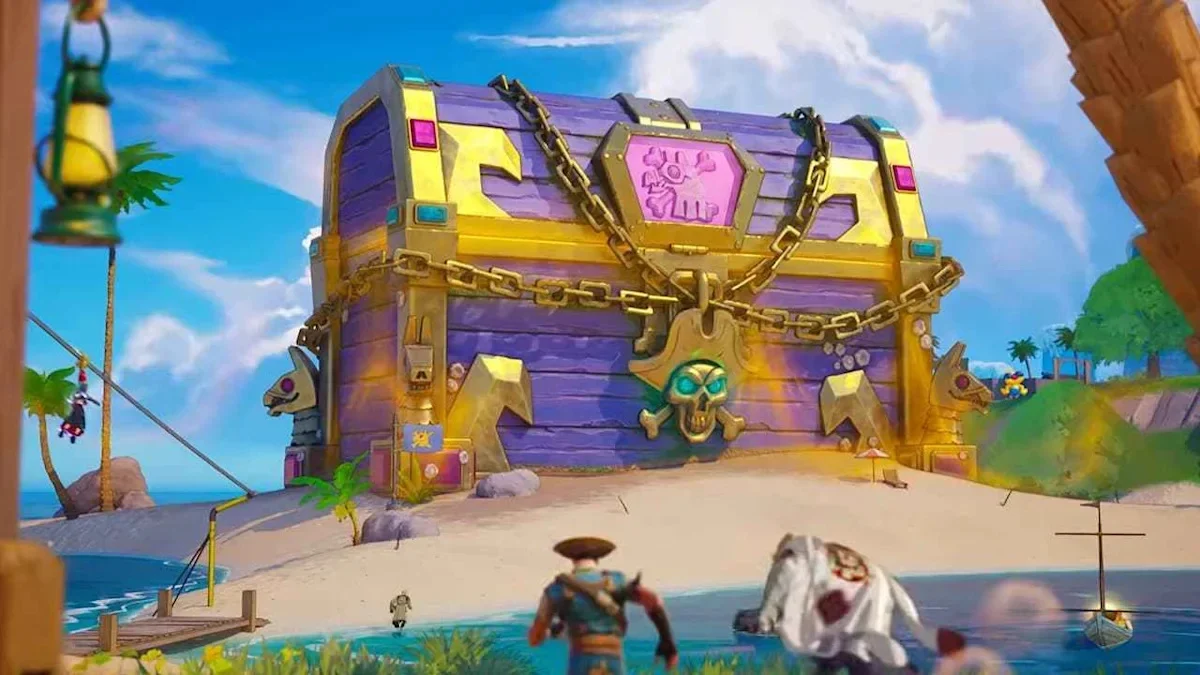
CHOOSE YOUR
TREASURE GOAL.
Current category information checked 14 November. Exact weekly cosmetic identities rotate; a published category does not confirm a particular item for your account.
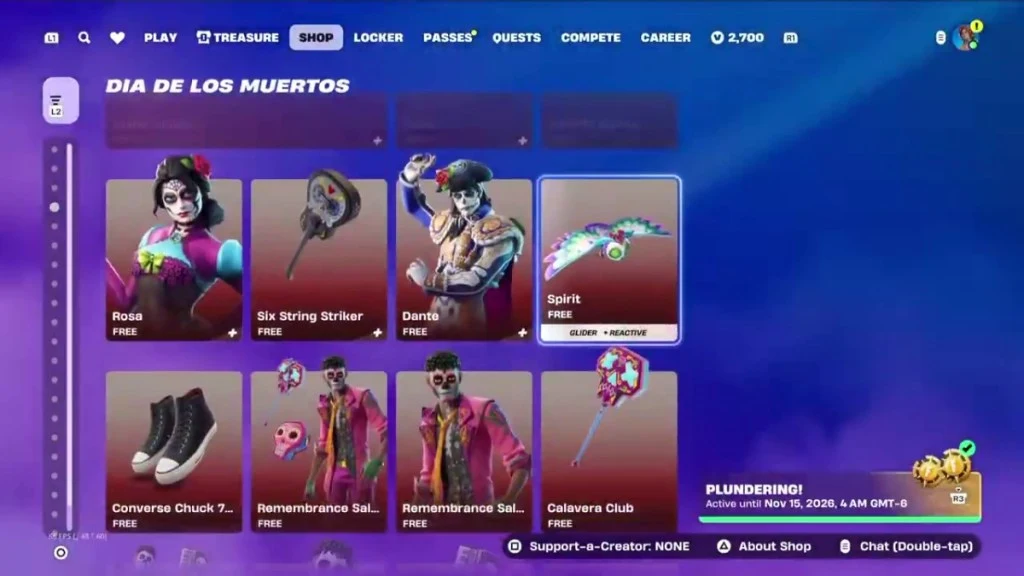
Available category · eligible chest drops
Pirate Shop Access
Find it as chest treasure, then review activation and eligible items in your own Shop. Epic lists a 1.5× published Hours rate; the Cursed notice adds no further Access multiplier.
Official rates · 14 November notice. Historical UI: Epic Games, via the linked Shop walkthrough.
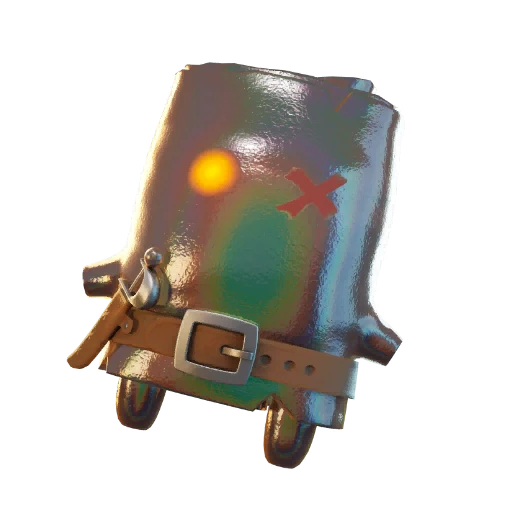
Available seasonal target · Sprite chests / extraction
Sprite collection & Mastery
Choose the helper or variant you want to keep. This edition highlights Cursed Sprite appearances. Carrying one helps rare variant finds, but water damages you.
Official event notice. Character art: Epic Games, via Sprite List; it is an example, not a guaranteed find.
- Weekly Gold Outfit · rotating
- The category has a published chest rate, but the current named outfit is not confirmed here. Read your in-game reward pool before choosing a specific skin. Published Hours factor: 7.5×. Plan for the category · Separate historical examples.
- Weekly Vehicle & Decal · rotating
- Same principle: a rotating category, not a verified named current item. Published Hours factor: 10×. Plan for this category · Read the official denominator.
Category availability and factors: Epic Support. Check date: . No random goal is guaranteed. Read the dated event brief.
FORTNITE CHEST
DROP RATES.
Epic lists seven treasure categories. Pirate Shop Access and the Weekly Gold Outfit are separate entries.
The Treasure Hours column refers to this Treasure Hunters season’s Battle Royale event, often called Power Hour. Save the World’s Power Hour uses different rewards and times. Check event names and modes.
| Treasure category | Normal match · per chest | Published Hours boost |
|---|---|---|
| Weekly Gold Outfit | 1 in 1,562,500 | 7.5× |
| Pirate Shop Access | 1 in 137,500 | 1.5× |
| Weekly Vehicle & Decal | 1 in 7,813 | 10× |
| Weekly Pickaxe or Backbling | 1 in 568 | Not specified |
| Weekly Jam Track | 1 in 391 | Not specified |
| Weekly Loading Screen | 1 in 272 | Not specified |
| Gizmo (any) | 1 in 127 | Not specified |
Source: Epic’s official treasure drop-rate table. “Not specified” means the help page lists no multiplier for that category; it is not a confirmed zero boost. Epic says later windows may use higher rates.
A denominator is a per-opening rate, not a required opening count. Opening 568 chests does not guarantee the accessory, and finding a Gizmo does not count as finding every other category.
COMPARE THE SAME
BATCH OF CHESTS.
Choose a hypothetical number of eligible openings. Each row estimates the chance of at least one reward from that category under a fixed-rate, independent-opening model. It does not read your drop history or account eligibility.
Example: 100 eligible openings at one fixed rate. These are modelled chances, not your account’s results.
| Category | Normal model | Published Hours model |
|---|---|---|
| Weekly Gold Outfit | 0.0064% | 0.0480% |
| Pirate Shop Access | 0.0727% | 0.1090% |
| Weekly Vehicle & Decal | 1.2718% | 12.0212% |
| Weekly Pickaxe or Backbling | 16.1559% | Not specified |
| Weekly Jam Track | 22.5922% | Not specified |
| Weekly Loading Screen | 30.8107% | Not specified |
| Gizmo (any) | 54.6390% | Not specified |
The Hours column applies only the three multipliers Epic lists. Unspecified categories remain unmodelled. A log spanning normal matches and different events cannot be treated as if every opening had the same boosted rate.
How to read this model
For per-chest chance p and n openings, the model is 1 − (1 − p)n. The complement is the chance of no hit in that batch. It is an assumption about repeated opportunities, not proof of the game’s complete random process or duplicate-handling logic.
Example: 100 normal openings give a Gold Outfit chance of about 0.0064%. Using the published 7.5× rate for all 100 gives about 0.0480%. The boost changes the rate; it does not make the reward likely in a short run.
Do not add the seven percentages into an “any reward” chance. Epic’s table does not establish how category rolls interact. A category already owned may also have different eligibility under the stated no-duplicate rule. Values above 99.9999% are displayed with a greater-than sign, rather than rounded to a guarantee.
If you have already opened 100 chests without a prize, that missed batch does not make chest 101 more likely under this model. Use the chest tracker to keep a record, and set a play-time budget on the run planner.
CHEST ODDS
BY TARGET.
How many Fortnite chests would reach a 10%, 50% or 90% chance? Choose one reward category and a published rate to compare the scale of the task.
Static example: Pirate Shop Access, normal match, 50% target. Enable JavaScript to change the choices.
Pirate Shop Access · 50% target · Normal match (1×)
95,308hypothetical eligible openings
About 50.00% chance of at least one; about 50.00% chance of none.
This is a modelled batch size, not how many chests you are “owed” or a goal saved to your log. Past misses do not increase the next chest’s rate.
| Target chance | Minimum modelled openings |
|---|---|
| 10% | 14,488 |
| 50% | 95,308 |
| 90% | 316,605 |
Why there is no 100% target
For a fixed per-chest rate p and target probability q, the smallest modelled batch is ceil(log(1 − q) / log(1 − p)). A 90% target still leaves about a 10% chance of no hit. No finite batch reaches an exact 100% in this independent-opening model.
Use this only for a category you are still eligible to receive. Epic’s no-duplicate rule can affect eligibility, and the published table does not describe every part of the game’s random process. Do not combine normal and differently boosted sessions as one fixed-rate batch.
Rate inputs: Epic’s treasure drop-rate table, checked 13 November 2026. Counts are calculated here from the stated model, not published unlock requirements.
Already have a realistic chest budget? Compare that number of openings. Set a play-time budget, or check what to do after finding Access.
REWARD TYPES.
WHERE TO CHECK.
- Random chest treasure
- Read the treasure notification for the named prize. It belongs to the published category table above.
- Chest quest XP
- Read Quests → Treasure Hunt. The task’s target and XP are a progress reward, not a token promise. See the real task-stage screen.
- Sprite Mastery rewards
- Read the Treasure tab’s Mastery track and your Sprite’s crown. An extracted, mastered Sprite is a different accomplishment from a random cosmetic. Follow the Mastery process.
- Pirate Shop Access claims
- Finding Access comes before activation and choosing eligible Shop items. The activation period starts when you activate. See the actual activation screens.
Reward notification: GAMES.GG’s reward guide; XP menu: its counter guide; Mastery: Epic’s season notes; Access workflow: VGC.
WHICH WEEKLY
GOLD OUTFIT?
“Weekly Gold Outfit” is a reward category. It does not name the current skin. GAMES.GG’s early-season guide lists Solid Gold A$AP Rocky in week one and Solid Gold Lil Uzi Vert in week two. Those are historical examples, not a live reward-pool feed.
Historical examples: GAMES.GG’s 1 November reward guide. We have not verified a complete future named rotation, so no future skin is promised here.
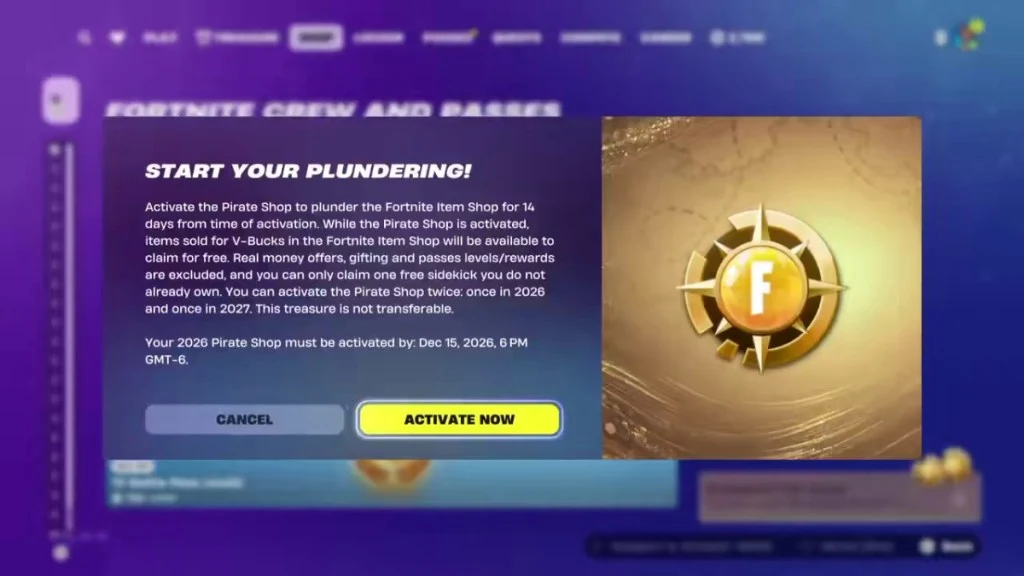
Access is a different reward
The activation screen belongs to Pirate Shop Access. It is not a confirmation that you received the Weekly Gold Outfit.
UI example: Epic Games, via Beebom. Its date is historical; read your own account’s terms.
FROM A DROP
TO A VERIFIED FIND.
“You found treasure” but no reward?
Epic has acknowledged cases where a treasure message appears after a chest opening or a Battle Bus drop, but the reward is absent from the account. Its help page, checked 14 November, says the issue is under investigation.
- Keep the exact reward name, match time and a screenshot of the message if available.
- Check the matching reward category and the same Epic account in the lobby.
- If it is still missing, follow Epic’s known-issue notice and submit an in-game bug report.
A notification followed by a missing item is different from never receiving a rare drop. This notice does not confirm compensation, a fix date or an automatic replacement reward.
Read the exact notification
Separate a named cosmetic, Access and a Gizmo. Keep the reward name and match time if you need to investigate.
Return to the right account
Check the relevant Locker category for a cosmetic. For Access, check its Shop panel. For XP or Mastery, return to the corresponding progress screen.
Verify before marking it as received
A browser count cannot grant or validate an item. Epic’s help page says the same treasure cannot be received twice, except Gizmos; it does not publish a promise that a duplicate will become Access.
No rare reward after a long session
Compare the category’s rate with your expectation. A large tally is not a guaranteed unlock. Check your quest progress separately, and stop at the budget you set.
A notification appeared, but the item is missing
Recheck the exact name, reward type and Epic account. For an unresolved account issue, send the relevant details to Epic’s Fortnite support. Never give anyone your password or recovery code to “claim” a reward.
I need the next boosted window
Use the local-time schedule and read its confidence label. This reward table does not confirm an upcoming session’s exact multiplier.
Record openings, undo mistakes and take a backup between runs.
Connect the reward to a run
Choose a reward category, plan your play budget and log actual openings. A probability model explains a hypothetical batch; it does not identify a winning chest.