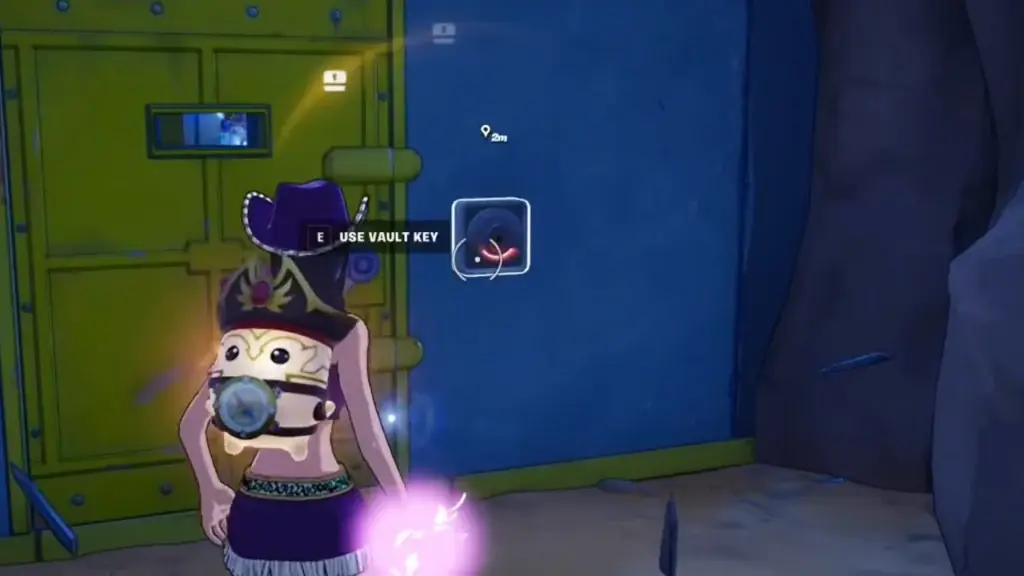
VAULT KEY.
YOUR NEXT STEP.
Carrying a key: use the current map marker for a nearby unopened vault. No key: continue your normal chest route; check another vault after you find a key.
A Vault Key opens a room. Pirate Shop Access is a random reward, and a Map Fragment is a separate quest pickup. Choose the object you actually have.
Your next vault step
No key yet. Keep a normal route.
Keep opening ordinary chests on your route. Return to a locked vault after finding a key.
Search the ship’s lowest interior level.
Entrance reference: The $.$. RockyOpen and record the chests you actually use. Read each chest’s treasure notification.
Record actual chest openingsEnable JavaScript to change this example. The routes below remain readable.
Read or manually copy the plan
Key markers and access: TechWiser and Destructoid. Save a short plan for the vault stop.
VAULT LOCATIONS.
MAP & AREA INDEX.
DigitalTQ’s launch guide maps nine vault areas. Use it to recognize the region, then check the live marker from your own key before travelling.
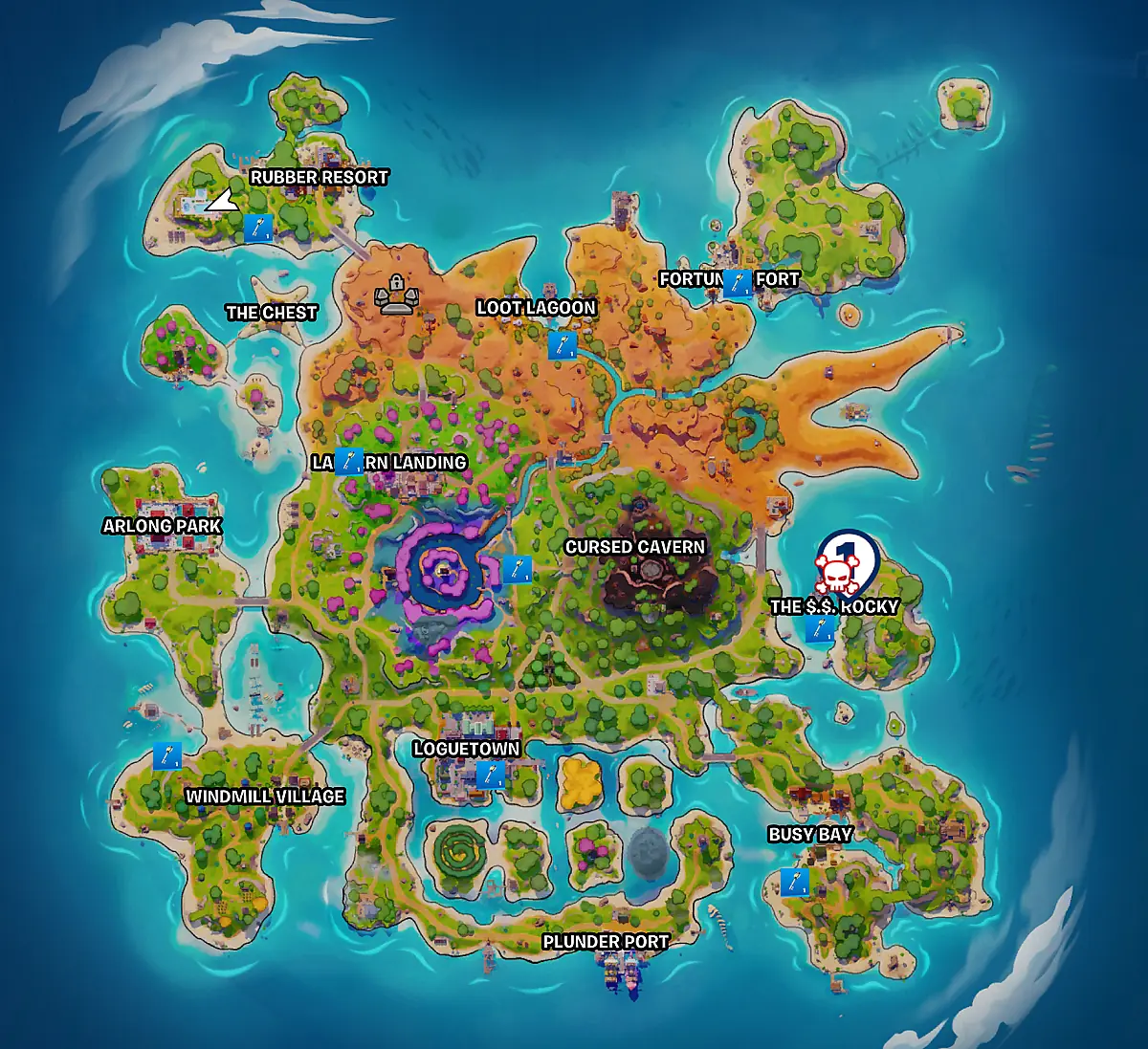
- The $.$. Rocky
- Search the ship’s lowest interior level. See this entrance.
- Loguetown
- Find the underground waterway and check the curtained entrance. See this entrance.
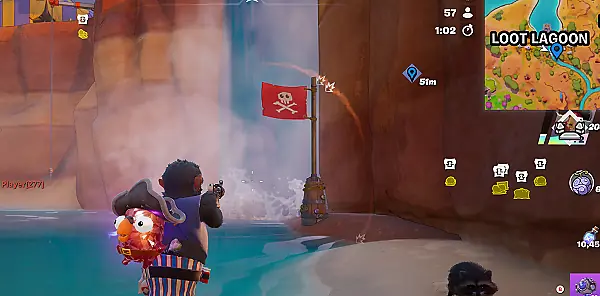
- Loot Lagoon waterfall
- Look behind the waterfall for the flagged entrance, then use the door prompt. See this entrance.
- Rubber Resort coast
- Check the coastal beach beside the resort against your current key marker.
- Lantern district
- Look along the cliff or mountainside east of the lantern district.
- Cursed Cavern area
- Check the nearby stone structures and the marker’s height before choosing a path.
- Windmill Village coast
- Look along the coast beyond the village and follow the current key marker.
- Busy Bay coast
- Search the beach south of the town.
- Fortress area
- Older guides call this Fortune’s Fort. Read the current map name and key marker.
Why do some guides use different names or directions?
These are launch-guide area names. Epic’s season notes use names including Lantern Lanes and Fort Fortuna, while the pictured guide uses Lantern Landing and Fortune’s Fort. Read the label on your current map rather than assuming every old name is current.
DigitalTQ lists Loot Lagoon and the fort separately. TechWiser combines them and adds a Plunder Port entry; Destructoid says Plunder Port has no vault. The location list follows the shared named regions in the cited guides. Resort beach and cavern-side directions also differ. Use the named region, the key marker and the entrance’s height together.
Sources: DigitalTQ’s nine-area guide, TechWiser’s list, Destructoid’s exceptions, and Epic’s season notes.
FIND A
VAULT KEY.
Reviewed guides describe keys as random chest loot. You can also take a key from an eliminated player who was carrying one. Keep a key you find for a nearby vault stop.
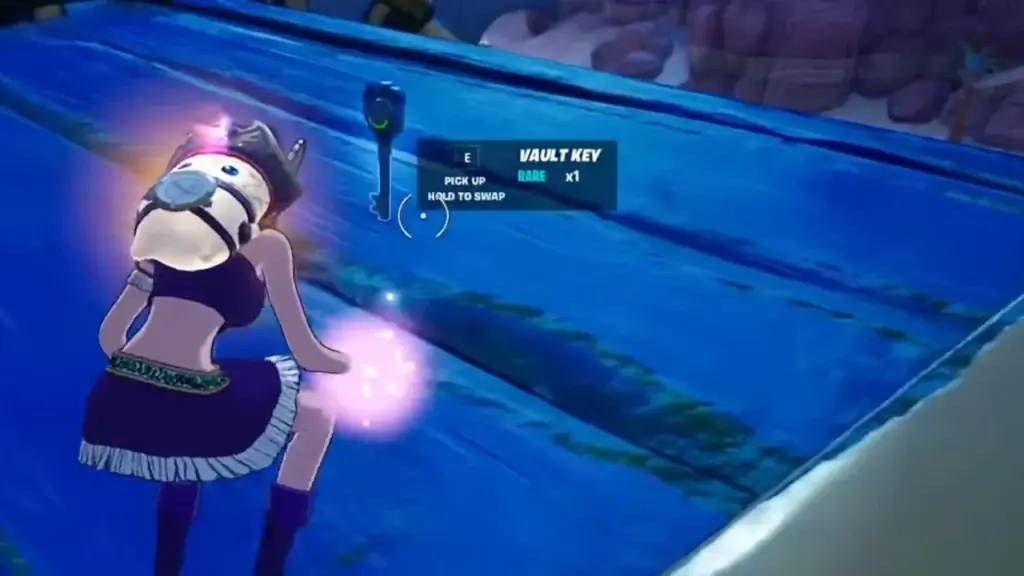
Pick up the key
Keep it in your inventory. DigitalTQ reports that it occupies an inventory slot; check what you are swapping before you leave.
Compare the marker and storm
Check a nearby unopened-vault marker, your remaining time and an exit. Choose a marker that fits your storm route and available cover.
Find the entrance’s level
Check the marker’s entrance level. Look for an accessible lower approach, a red flag or a breakable curtain where applicable.
Use the actual door prompt
Approach the closed door with the key and use the interaction shown on your device. Read a missing-key or already-open state before spending more time there.
Inventory and access: DigitalTQ; flags and coverings: Destructoid. Look for a Vault Key while looting.
ROCKY’S VAULT.
GO BELOW DECK.
For The $.$. Rocky, go into the ship and reach its lowest interior level. The source image shows the yellow door set into a metal room.
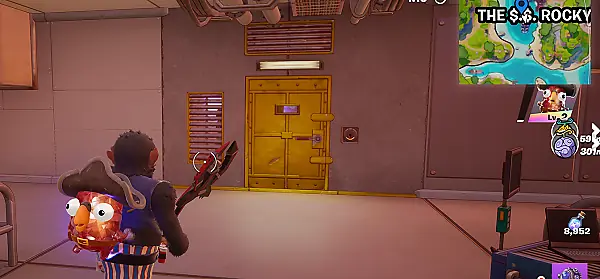
If the marker seems close but the door is absent, check whether you are one deck too high. For the separate ship collectible, follow the Map Fragment route.
LOGUETOWN VAULT.
GO UNDERGROUND.
Search the aqueduct below town. DigitalTQ describes approaching the sewers from the surrounding water on the south or west side. Check the lower waterway rather than searching only the streets.
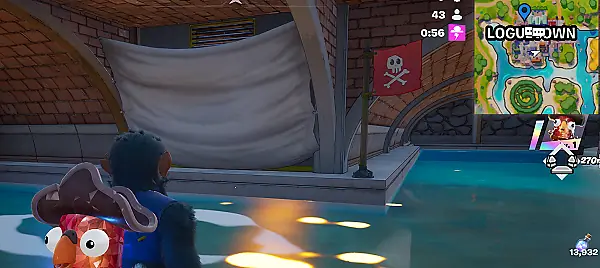
Check the marker again after entering the lower level. A breakable covering is an entrance clue; the vault door still needs its own key interaction.
WATERFALL VAULT.
CHECK BEHIND IT.
The Loot Lagoon route enters the waterfall area beside the pirate ship. Look for the flagged opening shown in the source image, then locate the closed vault door.
VAULT OPEN.
WHAT NEXT?
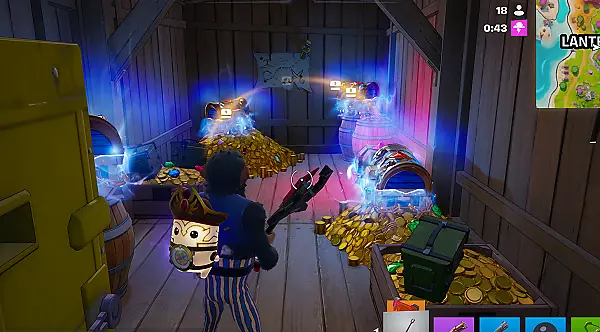
The illustrated guides show multiple Rare Chests and a Sprite Chest inside. Count the chests you find in your match.
Hunting chest rewards?
Open eligible chests and read their individual treasure notifications.
Record actual openingsKeeping a Sprite?
Check the helper you obtain, then finish extraction if you want it in your collection. Opening its chest is only one step.
Follow extraction stepsFor a named cosmetic, Access or a quest result, use the right reward-checking menu. Use the published per-chest rate in the comparison.
VAULT TROUBLE?
RECOVERY STEPS.
I have no key and the door is locked
Leave the locked door and continue your ordinary chest route. Keys are random loot. Do not replace a missing key with Pirate Shop Access, a boss keycard from another season or a map item.
The marker is close, but I cannot see a door
Check height first: lower ship level, underground waterway or cliff approach. Compare the entrance image and current marker before circling the same upper level again.
The vault has already been opened
Check the current map for another unopened target only if the storm and your remaining time allow it. Otherwise continue your normal route and use the key’s current marker.
A chest inside seems locked or the interaction differs
Read the exact object name and interaction prompt. Use the key or action specified for that object.
I opened the vault but did not receive Access
Check each chest’s treasure notification and compare the published reward chances. Each opening uses the published rate in the comparison model.
Add the vault stop to a wider route instead of forcing a cross-island detour.
A key, then the correct door
Keep the key, follow its marker and look for the Use Vault Key prompt. If the area is occupied or storm-unsafe, keep a safe fallback instead of forcing entry.