Golden Week · 28 November to the chapter finale
2× Sprite XP and Dust, more Sprite Chests and more frequent variants. See Golden Week dates.
ONE SPRITE.
YOUR NEXT RUN.
Choose a helper from the ability directory or continue a saved variant target. Keep its collection or Mastery checklist between matches.
Enable JavaScript to save target notes.
Choose one Sprite to start your personal checklist.

My current target
Read this helper’s abilitySwitching targets keeps each checklist. Mastery notes stay with their saved checklist. Confirm the crown in the lobby.
Start with a Sprite you want to keep or master. Compare the ability directory if you are unsure.
Back up, restore or clear target notes
These notes stay in this browser. Download a backup before clearing site data or moving devices.
Clear the selected target and all saved checklists in this browser? Download a backup first to keep them.
Target choices use the reviewed abilities and dated additions on this page. Artwork: Epic Games, via Sprite List and the linked Fortnite.gg references. Check current availability in Fortnite when choosing an announced target. Storage and privacy.
NEW SPRITES.
THIS NOVEMBER.
Cursed Kelper was added in the 12 November update. Epic’s dated notes list Mini Miku and Squiplash for the 15 November arrival. Lil’ Uzi Vert Jr. arrived with the 8 November Captain’s Day.
4 dated additions shown.

Cursed Kelper
The Cursed variant helps you find rarer Sprite variants.
Trigger: Carry the Cursed Sprite; watch for water damage.
Kelper’s base water-healing ability and the Cursed variant’s water damage are separate effects. Check the active variant and plan water crossings accordingly.
Dated announcement · Epic artwork via Sprite List.
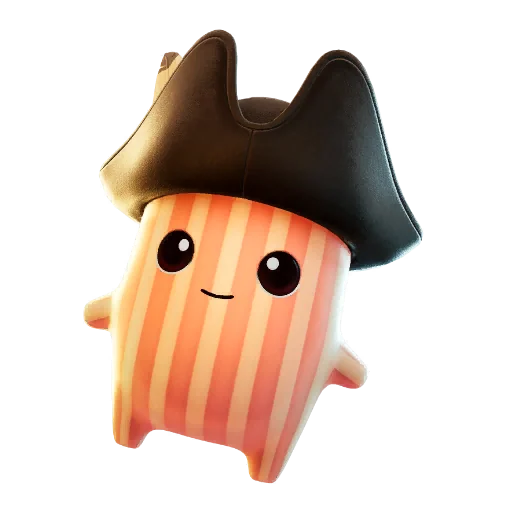
Lil’ Uzi Vert Jr.
Triggers a Chug Splash effect when you restore shields.
Trigger: Restore shields while using the helper.
Plan shield restoration around the splash trigger, then check who is close enough to benefit.
Dated announcement · Epic artwork via Sprite List.
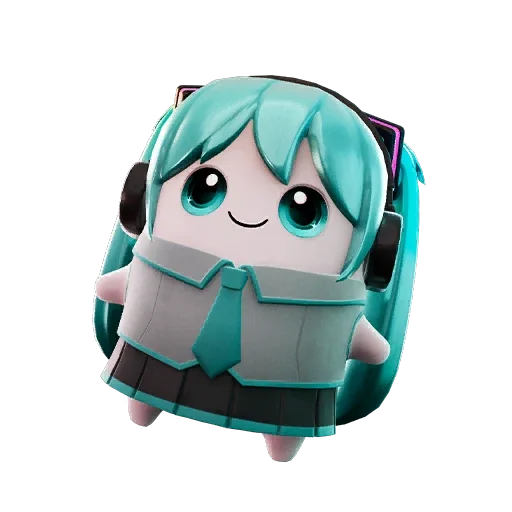
Mini Miku
Grants a Friendship Bubble when you emote with other players.
Trigger: Emote with other players, as described in the announcement.
Arrange an emote with another player before you rely on the bubble trigger.
Dated announcement · Epic artwork via Fortnite.GG.

Squiplash
Releases healing smoke when your health is low.
Trigger: Low health.
Keep normal healing supplies in your route plan; use the low-health trigger as support.
Dated announcement · Epic artwork via Fortnite.GG.
Found a helper you want to keep? Complete extraction and check your collection. For a chest-finding or map-finding ability, use the task comparison below.
Release and ability notes: Epic’s BR team · v43.10 and Epic’s 8 November Captain’s Day. Announcement references checked 13 November. The dated arrival is separate from an in-game availability check. The 8 November variant boost was a dated event.
Why can an early sighting differ from the announcement?
Game-file artwork and early sightings can appear before a scheduled release. The list follows Epic’s dated announcements; read the current lobby notice for availability.
ZEE SPRITE.
ZERO POINT DASH.
Zee is a Mythic Sprite that grants regenerating Zero Point Dash charges in Battle Royale and Zero Build. November 15 guides by Beebom and TechWiser identify it as the secret rare Sprite from Epic’s v43.10 teaser, with current guide listings showing only a Base form.
TechWiser describes pressing Jump in mid-air to phase forward through walls and structures, while published guides note that leveling Zee increases maximum charges and shortens recharge time. Check the Mastery Monday window for bonus Sprite XP and Dust.
How to look for Zee
- Open Rare Chests, Sprite Chests, and Vaults. Beebom and TechWiser recommend prioritizing Vaults and high-tier chest routes, as Zee has no confirmed fixed spawn.
- Follow Wanted Poster Sprite Treasure Maps. Both guides suggest tearing down Wanted Posters and digging up buried Sprite Chests along your route for extra chances.
- Try a Lucky Locator late in your collection, or trade. Beebom and TechWiser suggest saving a Lucky Locator until most other Sprites are logged, a tip based on older-season Locator rules. TechWiser also suggests trading with another player.
To keep Zee permanently, complete the standard Sprite extraction steps at a fixed site or with a Portable Extractor, then check your lobby Collection.
Zee name, ability and search reports: Matthew Wilkins · Beebom and Shida Aruya · TechWiser, 15 November. Epic’s update notes provide the secret Sprite teaser. Zee sources checked .
CHOOSE FOR
THE JOB AHEAD.
A base Sprite and a variant are different choices. Below are four useful helpers and two variant effects. The Fortune and Cursed pictures use Exmarks as an example; other helpers can have their own versions.
6 choices shown
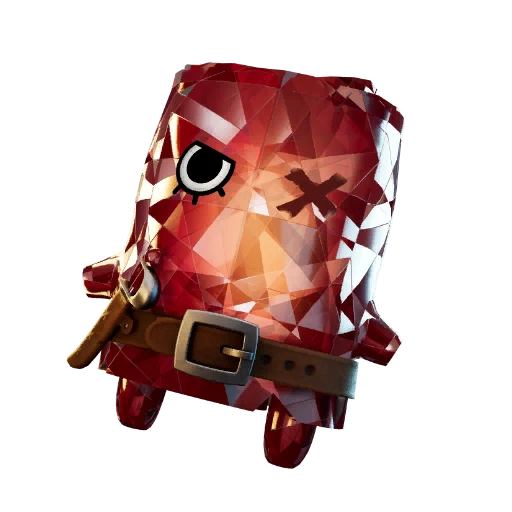
Fortune variant
Highlights nearby chests.
Add chest detection to a helper you already like. The picture shows the Fortune effect on Exmarks.
Exmarks
Reveals maps and Wanted Posters; creates a map at maximum level.
Pick this when finding your next clue is the main obstacle.
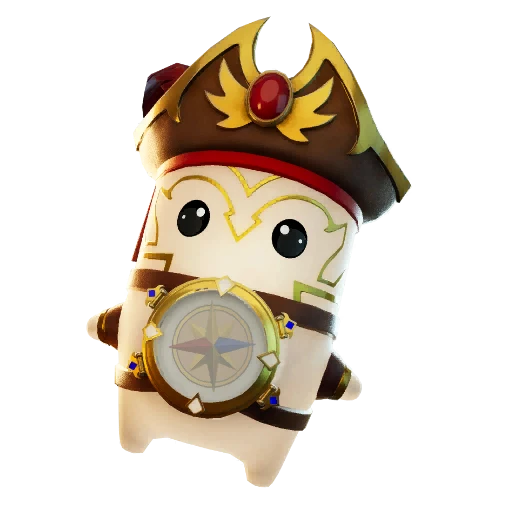
Wayfinder
Locates nearby Sprites; adds buried-chest loot.
Pick this when searching an area for a collectible, rather than another chest.

Plundarrgh
Opening chests improves movement and pickaxe speed.
Pick this when you already know your chest loop and want its opening trigger to support that loop.

Chester
May add chest loot; prevents fall damage.
Pick this for chest looting and height changes.
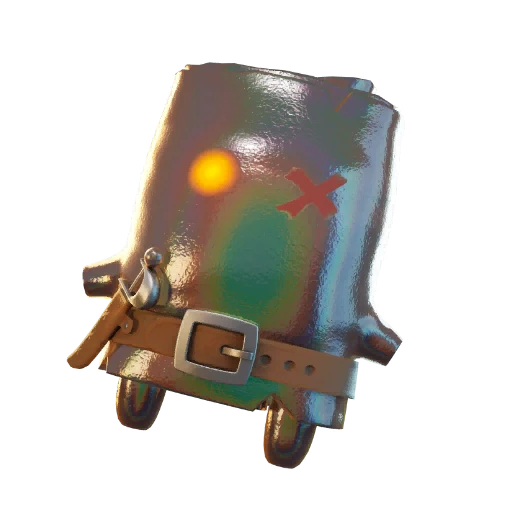
Cursed variant
Improves rare-variant finds, but water hurts you.
The picture shows Cursed Exmarks. Choose the variant effect for collection, and check water crossings before dropping.
Source: Epic’s current-season ability descriptions.
Game artwork: Epic Games, via Sprite List. Suggested uses are our planning advice. The comparison covers four helpers and two variant effects.
Read the full name and effect in your collection before equipping. Choose chest-finding or movement effects for the route you plan to play.
Do Chester or Cursed Sprites increase Pirate Token odds?
Chester can add chest loot. Cursed affects rare Sprite-variant finds. The Access comparison uses Epic’s published per-chest rate.
Use Epic’s published treasure rates for the token model. Compare chest counts for a target chance; the model uses the published treasure rates.
SPRITE ABILITIES.
CHOOSE YOUR NEXT TARGET.
For maps and posters, choose Exmarks. For nearby Sprites, choose Wayfinder. For a chest-to-chest route, consider Plundarrgh. Pick a helper you still want to collect or master.
This directory covers 17 base helpers. Fortune and Cursed add variant effects; read the full variant name when choosing a target.
| Sprite | Ability & useful task | Your next step |
|---|---|---|
| Exmarks | Finds nearby Treasure Maps and Wanted Posters; produces a map at maximum level. Find the next poster or map clue. Epic Games · ability | Set target |
| Wayfinder | Detects nearby Sprites and adds loot from buried chests. Search an area for a Sprite. Epic Games · ability | Set target |
| Plundarrgh | Opening chests increases movement and Pickaxe speed. Move between nearby chest stops. Epic Games · ability | Set target |
| Chester | Can add chest loot and prevents fall damage. Loot chests across changes in height. Epic Games · ability | Set target |
 Halfpeel’d | Marks eliminations on the map, with a larger range as it levels. See where nearby fights have ended. Epic Games · ability | Set target |
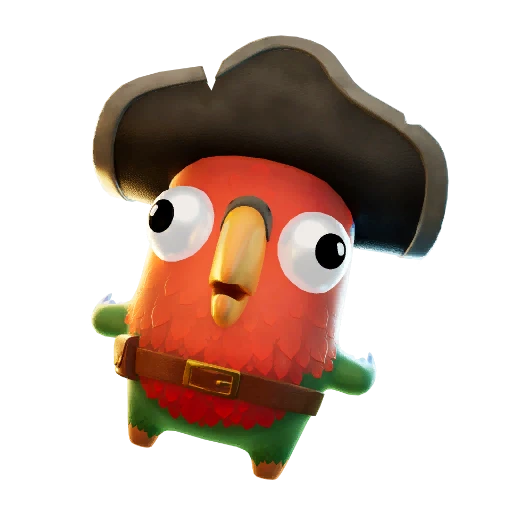 Re-Pete | Speeds up reloads and can return ammunition when reloading. Support a combat-heavy route. Epic Games · ability | Set target |
 Barry O’Fish | Reduces sprint stamina use in water and adds Slap at maximum level. Plan a route with water crossings. Epic Games · ability | Set target |
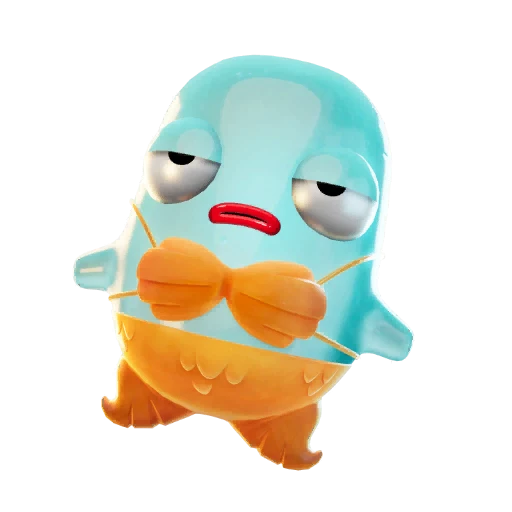 Kelper | Restores health while in water; healing increases with level. Recover health on a water route. Epic Games · ability | Set target |
 Lil’ Squibbly | Jumping into a fishing hole collects fish and extra loot. Include fishing holes in a loot route. Epic Games · ability | Set target |
 Lil’ Flacko | Landing creates a small shockwave that pushes opponents away. Create space when landing near opponents. Epic Games · ability | Set target |
| Lil’ Uzi Vert Jr. | Restoring shields triggers a Chug Splash effect. Build a shield-recovery loadout. Epic Games · ability | Set target |
 Sweet Dreams | Awards an item on each level-up, with Mythic loot at maximum level. Turn Sprite leveling into extra loot. Epic Games · ability | Set target |
 Transponder Snail | Adds resources from pickups, with a share for teammates also using this Sprite. Coordinate resource gathering with your crew. Fortnite.GG · community catalog | Set target |
| Mini Miku | Emoting with another player creates a Friendship Bubble. Prepare an emote interaction with a teammate. Epic Games · ability | Set target |
| Squiplash | Releases healing smoke when health is low. Add a low-health recovery ability. Epic Games · ability | Set target |
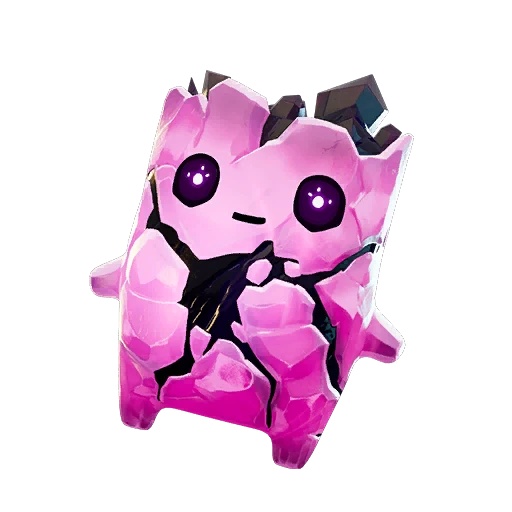 Zee | Provides regenerating Zero Point Dash charges. Keep a movement option for your route. Fortnite.GG · community catalog | Set target |
 Sir Oscar the Second | Increases Pickaxe damage and gives a speed burst when your shield breaks. Defeat Oscar at The Tiger’s Eye for a chance to pick up this Sprite. Epic Games · ability | Set target |
Ability-based choices above are planning suggestions. Sprite artwork: Epic Games, via Fortnite.GG’s catalog. Sir Oscar the Second artwork via FN Sprite Tracker. Zee’s name is linked to the dated community guides; Epic’s update notes describe the secret Dash helper. Each row links its ability source.
For variant hunting, compare Fortune and Cursed effects. Gold variants were announced for 22 November in Epic’s season notes. Epic describes bonus XP from eliminations. Check the Sprite’s variant in Fortnite. Weekly Gold Outfits have a separate chest reward category.
FORTNITE COMPASS:
WHICH HELPER?
Start with the object and the task
Wayfinder is the compass-shaped helper in this comparison. Epic describes it as revealing nearby Sprites and adding loot to buried chests. Fortune reveals nearby chests; Exmarks reveals Treasure Maps and Wanted Posters.
- Looking for a Sprite? Compare Wayfinder in the ability list.
- Looking for chest locations? Read the Fortune variant effect. Follow the marker to the container and open it to see the reward.
- Looking for Pirate Shop Access? Follow the chest-reward process. Use Epic’s chest-reward rates to plan an Access goal.
- Looking for six Map Fragments? Use the fixed pickup routes. They are a different task from following a Sprite Treasure Map.
Abilities: Epic’s season notes. Wayfinder artwork: Epic Games, via Sprite List.
A FIND IS
NOT A DEPOSIT.
Search the island, open Sprite Chests or follow a Wanted Poster map. When a helper drops, read its name and equip the one you want to use. Current guides describe chest and elimination progress applying to the equipped helper, so check that it is the intended Sprite.
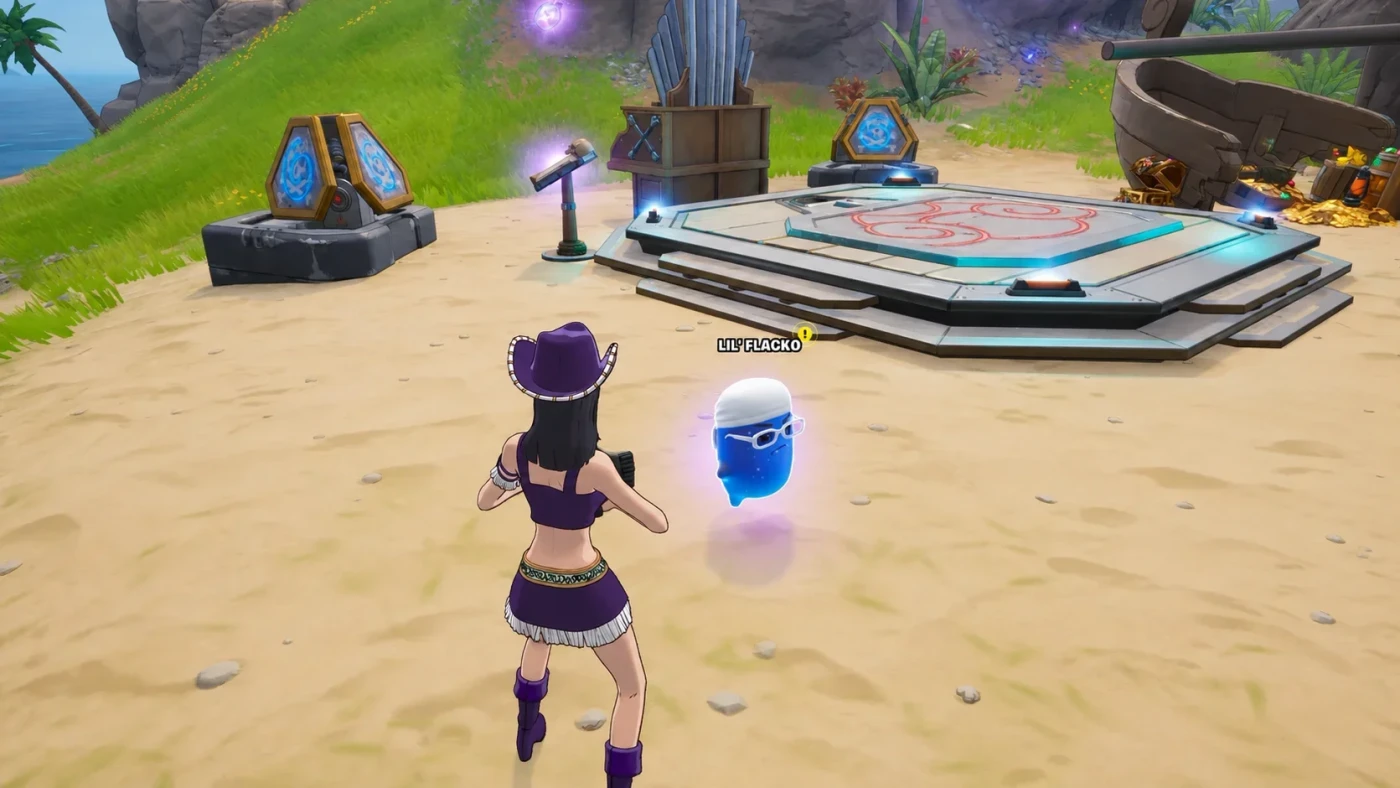
At a fixed Extraction Site
Locate the station and check the area
Use the current in-game map to locate a fixed site. Check nearby cover, opponents and the storm before approaching.
Call the extraction crate
The current-season guide identifies the pirate pipe organ as the call control. The nearby Sprite Dust Services terminal is for purchases. Use the organ’s prompt, then wait for the crate.
Move to the landed crate
After calling the crate, complete its deposit prompt. Stand clear of the landing point, then read the crate’s prompt to see which equipped or inventory Sprites it will take.
Deposit and wait for confirmation
Confirm the helper you want to bank. Let the extraction sequence complete, then check the collection and Mastery record in the lobby. Read the extraction success message before returning to the lobby.
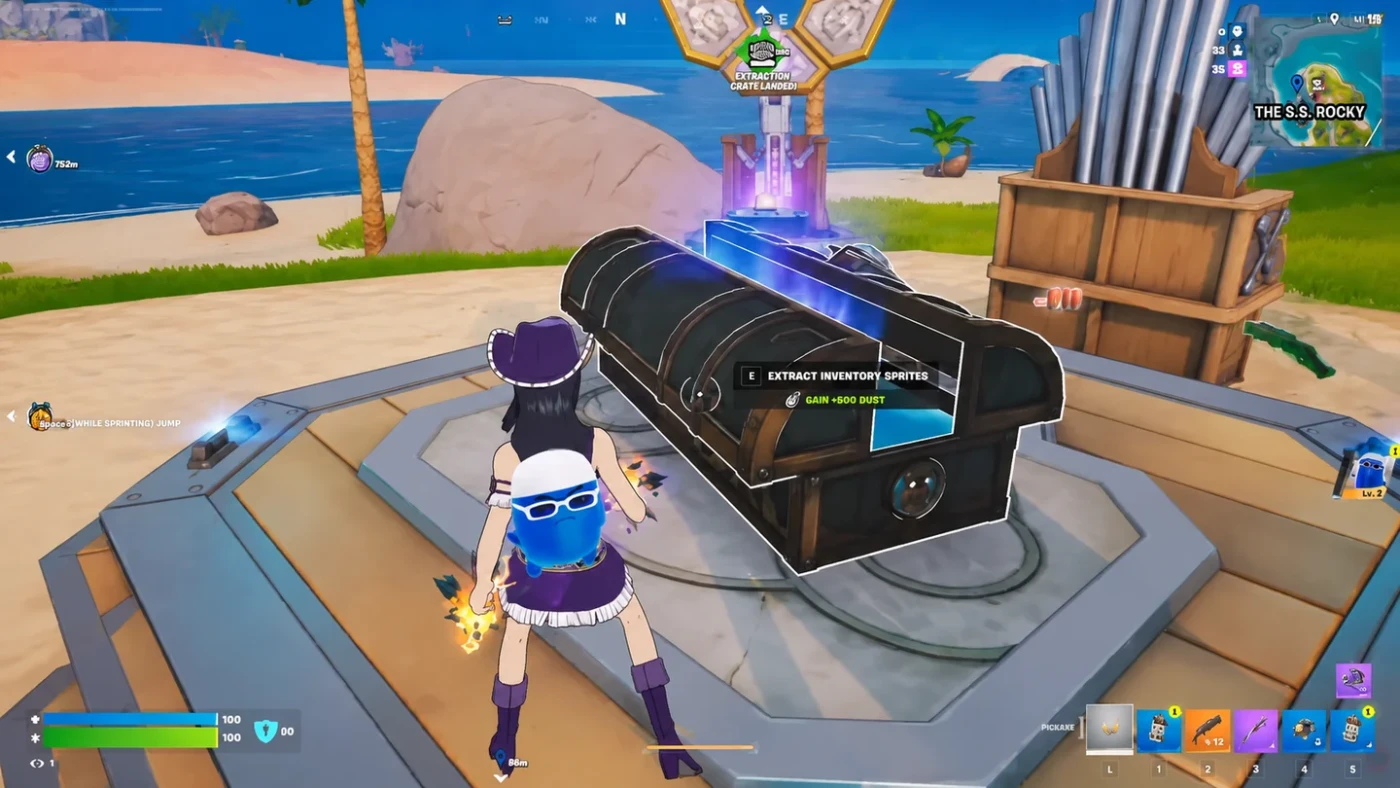
Source: GAMES.GG’s 6 November station walkthrough.
Fixed site or Portable Extractor?
- Fixed site
- Use its call control and crate. Allow time to travel, wait and deposit. Nearby players can contest the area.
- Portable Extractor
- Epic describes it as extracting the equipped Sprite away from a fixed site. Check the equipped helper and the current item prompt before using it.
A Portable Extractor is an inventory resource. Check the current item prompt, quests and service offers. FNAssist reports chest availability changing during the 14 November event; read the dated community report before relying on that route. Read the current offer for its Dust cost and availability.
Source: Epic’s core extraction and Portable Extractor rules.
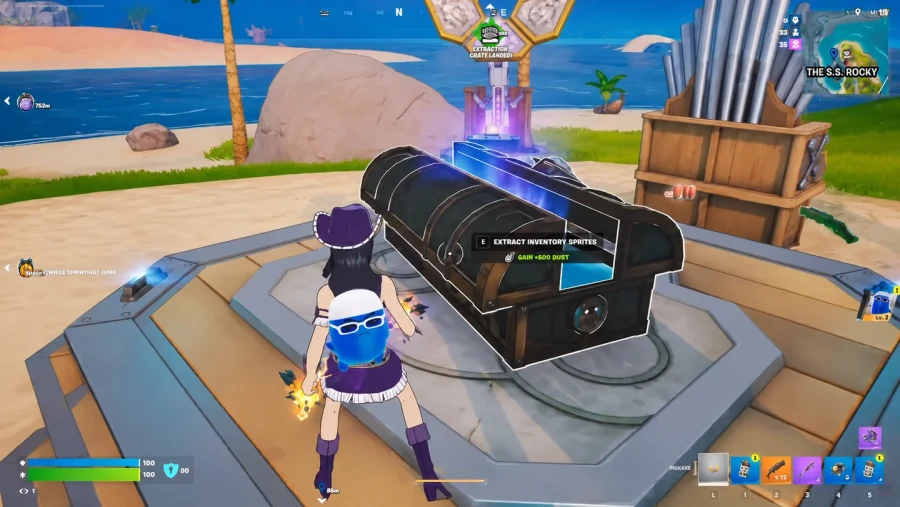 Season image · YouTube loads on request
Creator video · YouTube · 6:34
SPRITE EXTRACTION ON VIDEO
A creator video about extracting Sprites for a Treasure Hunters weekly quest. Use the collection and extraction steps on this page alongside it.
By Gamer Dad
Easily Extract Sprites in a Single Match - Fortnite Treasure Hunters Weekly Quest
Loading connects to YouTube. Video privacy.
Use the demonstration for its gameplay sequence and Epic’s current notices for event rules and reward rates.
FOUR THINGS
TO KEEP SEPARATE.
- Collection
- The helper you have banked for future use. Finding one in the match and adding it to the lobby collection are separate steps.
- Current level
- Progress on the Sprite you are using. Current Treasure Hunters guides describe level 5 as maximum. Read the in-game MAX LEVEL indicator and any special conditions.
- Mastery
- Permanent progress from extracting a maximum-level Sprite. Check the crown in the Sprite tab; complete extraction at maximum level to earn the crown.
- Sprite Dust
- A currency associated with extraction and collection services. It is separate from your helper’s level and your account’s Battle Pass progress.
Source: GAMES.GG’s current-season leveling and equipped-Sprite guidance.
Source: Epic’s core collection, Dust and max-level extraction rules.
Keep the right helper equipped.
Follow the deposit and success prompts.
Verify Mastery in the lobby.
For the current season’s rewards, open Treasure → Sprite Mastery. Epic lists an umbrella for mastering 40 Sprites. Read your current track pages for their requirements and available rewards.
FROM YOUR FIRST STRONGBOX
TO THE UMBRELLA.
Collect a helper, level it up, then finish its maximum-level extraction for Mastery. Check the permanent crown before recording the result. Choose your next reward milestone from Treasure → Sprite Mastery.
| Mastered Sprites | Reward goal | Where it is documented |
|---|---|---|
| 7 | Base Sprite Mastery Strongbox | GAMES.GG · Part 1 guide, 2 November |
| 18 | Silver Sprite Mastery Strongbox | FNAssist · Page 3 screenshot, 14 November |
| 40 | Navigator’s Nosedive Umbrella | Epic Games · Treasure Hunters season notes |
Part 1: the first seven rewards
GAMES.GG’s 2 November guide records these initial milestones. Later track pages and account claim states appear in Fortnite.
| Mastered Sprites | Listed reward |
|---|---|
| 1 | 3 × Golden Firework |
| 2 | 5,000 Sprite Dust |
| 3 | 40,000 XP |
| 4 | 3 × Portable Extractor |
| 5 | 5,000 Sprite Dust |
| 6 | 5 × Extraction Accelerator |
| 7 | Sprite Mastery Strongbox Back Bling |
Its guide describes Sweet Dreams as extracting automatically at level 5. Watch its extraction result and confirm the crown in your Collection.
Read the Part 1 guide and reward-screen image, checked 19 November 2026.
A level reset can leave permanent Mastery intact. Use the crown and level-reset checks when a previously mastered helper returns at level 1.
SPRITE MASTERY:
PAGE 3 REWARDS.
Want a reward goal beyond random chest treasure? Check the next milestone in Treasure → Mastery.
Community screenshot · FNAssist, 14 November 2026. The post reports Page 3 as available. The image shows the Page 3 reward track in that player’s collection.
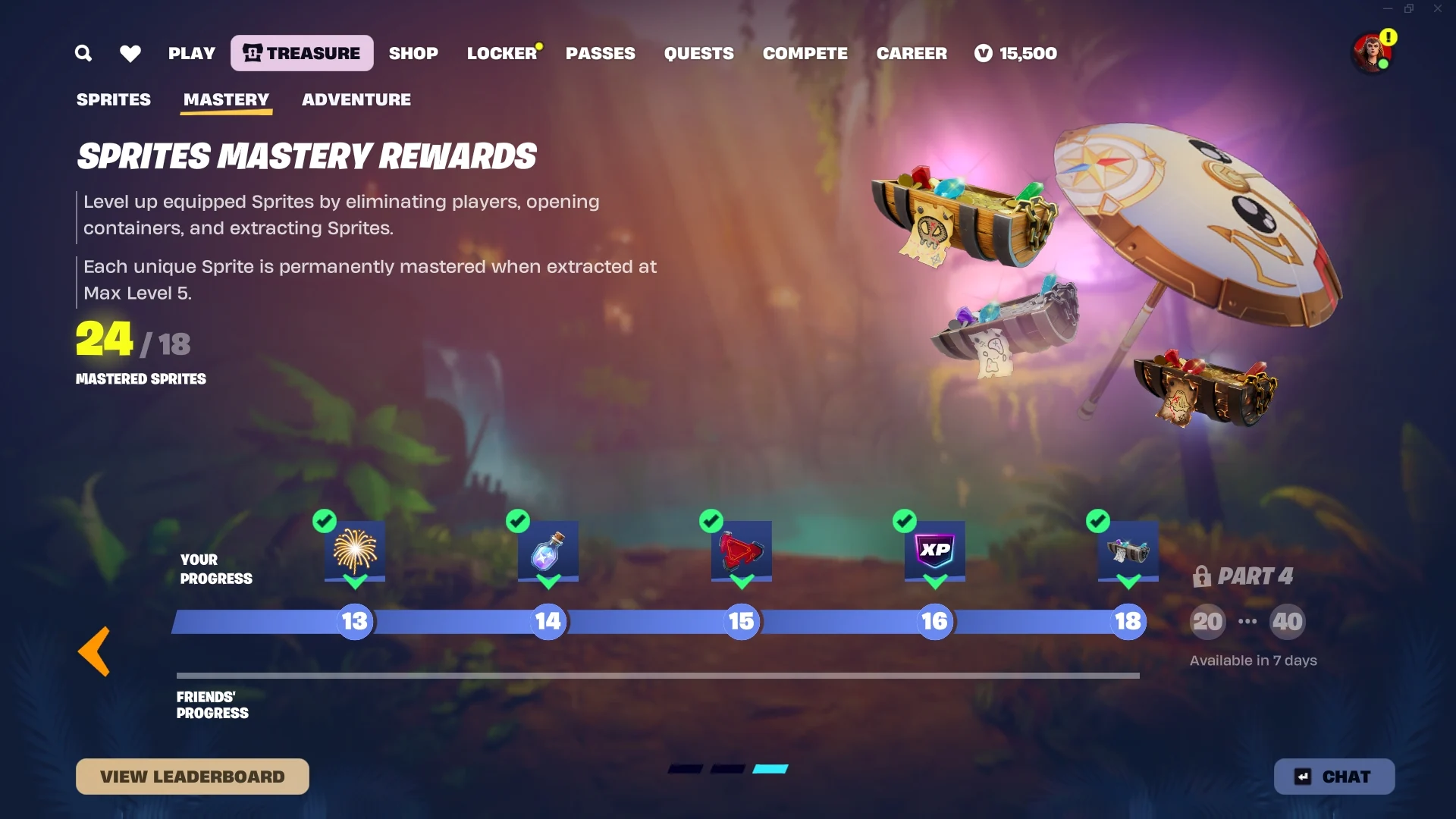
| Mastered Sprites | Listed reward |
|---|---|
| 13 mastered Sprites | 3 × Golden Firework |
| 14 mastered Sprites | 5,000 Sprite Dust |
| 15 mastered Sprites | 2 × Sprite Locator |
| 16 mastered Sprites | 40,000 XP |
| 18 mastered Sprites | Silver Sprite Mastery Strongbox |
These milestones count mastered Sprites. Reaching level 5 is only part of the process: extract the maximum-level Sprite and check the permanent crown. Use the game’s reward track to claim an available prize.
Read Treasure → Sprite Mastery for current thresholds and claim status. Open the Silver Strongbox in-game to see its contents; check the track for the next page’s release.
LEVEL RESET?
CHECK MASTERY.
Epic says losing a Sprite by elimination or dropping it can reset its level even after it was mastered. Permanent Mastery stays, shown by a crown in the Sprite tab.
Source: Epic support on Mastery and level resets.
Level 1, crown still present
The crown shows permanent Mastery while you rebuild the helper’s current level.
No expected crown
Check whether maximum level and extraction both completed. Finding a Sprite, calling a crate and depositing a maximum-level helper are different events.
Helper missing after elimination
Check the collection and current resummon options. Follow the price and action shown in your collection.
If the record still conflicts with the success message, note the Sprite’s full name, variant, match time and message. Use Epic’s Fortnite support for an account-specific review.
PLAN YOUR
MASTERY MONDAY.
Mastery Monday is the seasonal Sprite-progress event from 9 AM Eastern Time, with Sprite XP and Dust bonuses. Choose a dated Monday and city on the dedicated guide, then keep a squad plan and personal calendar reminder.
Open the Mastery Monday plannerContinue with your Sprite, collection or Mastery goal, and local Monday start.
Check bonuses and their evidence · Read the dated X reports and troubleshooting.
COMMON
COLLECTION SNAGS.
Sprite extracted but not added to your collection?
First distinguish calling the crate from finishing its deposit. If extraction succeeded and the Sprite still did not appear, Epic’s specific collection help page directs you to report the bug in-game.
Include the Sprite name, variant, platform, match time and the success message you saw. Epic reviews the report with those details. If the helper returned at level 1 but still has its crown, use the Mastery explanation above instead.
Do Fortune and Cursed replace the base helper?
The comparison groups variants by their base Sprite ability. Read the full variant name and description. For example, Fortune Exmarks keeps the Exmarks identity while adding the Fortune effect.
Can I master it just by reaching level 5?
The reviewed rule requires extraction at maximum level. After extraction, check the crown in the Sprite tab.
Is the shop-like terminal the extraction control?
The current guide distinguishes Sprite Dust Services purchases from the pirate organ that calls the crate. After the call, use the landed crate to deposit.
How do I find a particular helper?
Check the actual Sprite name at the pickup. Use the current island map and helper descriptions to plan your search.
Keep the chosen Monday and city, then save a squad plan and a personal calendar reminder.
Collection, then verification
Use the collection sequence, deposit at an extraction site and check the lobby result before marking your target. If the deposit is interrupted, read the actual result before retrying.